
ATtiny85 Board
When an Arduino Uno is too big for your project, the ATtiny85 steps in to provide just enough logic for simple tasks.
Component Preview
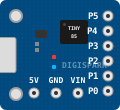 ATtiny85 Module
This is a Digispark-style development board for the ATtiny85. It features an integrated USB connector for easy programming and exposes 6 I/O pins. It only has 8KB of flash memory, making it ideal for extremely lightweight scripts.
Overview
Sometimes you just need to blink an LED, read a button, or control a single servo. Using an entire ATmega328P is overkill. The ATtiny85 is cheap, consumes very little power, and can still be programmed using standard Arduino code.
Pin Reference
| Pin | Type | Description |
|---|---|---|
| VIN | power | Voltage In (7-12V if using the onboard regulator). |
| 5V | power | 5V out (or 5V in, if bypassing the regulator). |
| GND | power | Ground reference. |
| P0 (PB0) | digital | I2C SDA / SPI MOSI / PWM. |
| P1 (PB1) | digital | PWM / SPI MISO. (Also tied to the onboard LED). |
| P2 (PB2) | digital | I2C SCL / SPI SCK / Analog In A1. |
| P3 (PB3) | digital | Analog In A3 / USB D-. |
| P4 (PB4) | digital | Analog In A2 / PWM / USB D+. |
| P5 (PB5) | digital | Analog In A0 / Reset. (If used as I/O, you cannot reprogram the chip easily). |
Configurable Attributes
This component acts as the main execution unit in the simulator and has no standard configurable attributes.
Working Principle
The ATtiny85 contains an 8-bit AVR RISC-based microcontroller. It operates identically to larger Arduino boards but with fewer hardware peripherals (no hardware UART, limited timers). It can emulate UART (SoftwareSerial) and I2C via its Universal Serial Interface (USI).
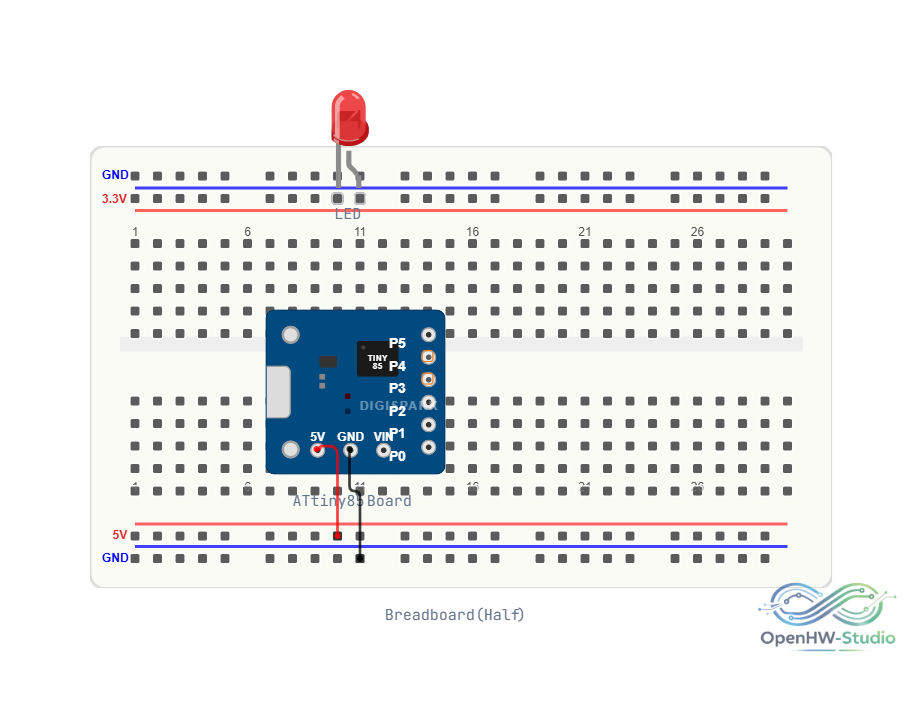
Wiring Diagram
Example Arduino Code
// Blinking the onboard LED attached to Pin 1
void setup() {
  pinMode(1, OUTPUT);
}

void loop() {
  digitalWrite(1, HIGH);
  delay(1000);
  digitalWrite(1, LOW);
  delay(1000);
}
Simulation Notes
- In the simulator, the ATtiny85 runs the same C++ toolchain as the Uno.
- Hardware-specific libraries that rely on ATmega328P timers will fail to compile for the ATtiny85. You must use TinyWire for I2C and SoftwareSerial for serial communication.