
MAX7219 Dot Matrix
An 8x8 LED matrix display powered by the MAX7219 driver chip, easily cascaded for larger displays.
Component Preview
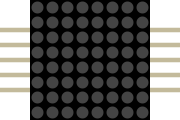 MAX7219
The MAX7219 module simplifies the process of controlling a grid of 64 individual LEDs (8x8). Using an SPI-like serial interface, you only need 3 data pins to control the entire matrix. Multiple modules can be daisy-chained together for scrolling text displays.
DisplaysMatrixSPI
Overview
Driving 64 LEDs individually would require 64 pins, or at least 16 pins with complex multiplexing logic in code. The MAX7219 chip handles all the multiplexing, refreshing, and current-limiting for you.
Pin Reference
| Pin | Type | Description |
|---|---|---|
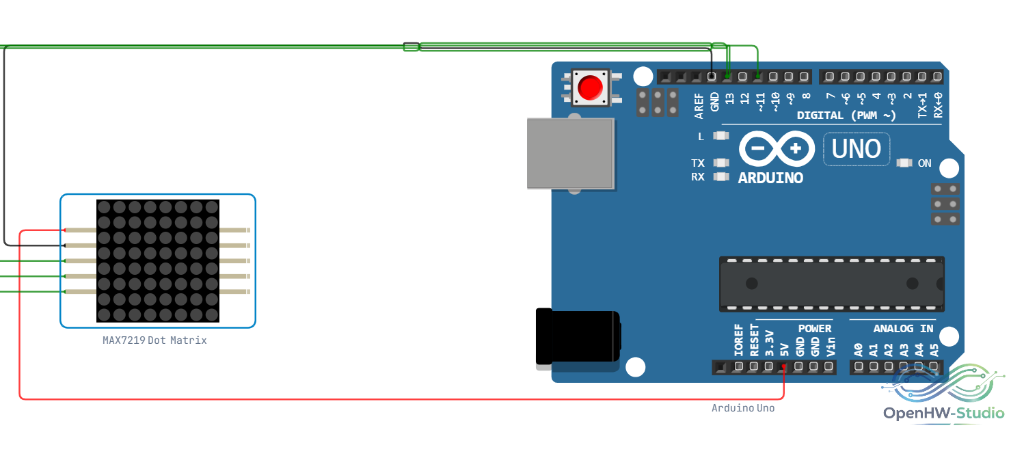
| VCC | power | Power Supply. Connect to Arduino 5V. |
| GND | power | Ground. Connect to Arduino GND. |
| DIN | input | Data In (SPI MOSI). Connect to Arduino D11 (or another digital pin). |
| CS | input | Chip Select / Load. Connect to Arduino D10 (or another digital pin). |
| CLK | input | Clock (SPI SCK). Connect to Arduino D13 (or another digital pin). |
| VCC_OUT | power | Passed-through VCC for daisy-chaining the next module. |
| GND_OUT | power | Passed-through GND for daisy-chaining. |
| DOUT | output | Data Out. Connect to `DIN` of the next matrix module. |
| CS_OUT | output | Passed-through Chip Select for the next module. |
| CLK_OUT | output | Passed-through Clock for the next module. |
Configurable Attributes
| Attribute | Type | Default | Description |
|---|---|---|---|
| color | string | red | The color of the LEDs in the simulator (e.g., `red`, `green`, `blue`). |
Wiring Diagram
Example Arduino Code
This example uses the popular LedControl library to draw an 'X' pattern on the matrix. Install it via the Library Manager.
cpp
#include <LedControl.h>

// LedControl(DataIn, CLK, CS, numDevices)
LedControl lc = LedControl(11, 13, 10, 1);

void setup() {
  // Wake up the MAX7219 from power-saving mode
  lc.shutdown(0, false);

  // Set brightness to a medium value (0-15)
  lc.setIntensity(0, 8);

  // Clear the display
  lc.clearDisplay(0);

  // Draw an 'X' shape
  // setRow(device_index, row_index, binary_data)
  lc.setRow(0, 0, 0b10000001);
  lc.setRow(0, 1, 0b01000010);
  lc.setRow(0, 2, 0b00100100);
  lc.setRow(0, 3, 0b00011000);
  lc.setRow(0, 4, 0b00011000);
  lc.setRow(0, 5, 0b00100100);
  lc.setRow(0, 6, 0b01000010);
  lc.setRow(0, 7, 0b10000001);
}

void loop() {
  // Display is static
}
Simulation Notes
- You can chain multiple MAX7219 modules in the simulator by connecting
DOUTof one toDINof the next, passing alongCS,CLK,VCC, andGND. UpdatenumDevicesin theLedControlconstructor accordingly.