
SSD1306 OLED (128x64)
A widely used 0.96" monochrome graphic display that produces bright text and shapes without needing a backlight.
Component Preview
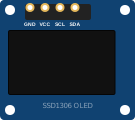 0.96" OLED
The SSD1306 is a very popular display driver. Because it is an OLED (Organic Light Emitting Diode), every pixel generates its own light, leading to infinite contrast and low power consumption. It typically communicates via I2C, requiring only two data wires.
Overview
This module has a resolution of 128x64 pixels. To draw on it, you must use a library (like Adafruit_GFX combined with Adafruit_SSD1306) which maintains a buffer of the screen in the microcontroller's RAM, and then pushes that buffer to the screen using display().
Pin Reference
| Pin | Type | Description |
|---|---|---|
| GND | power | Ground. |
| VCC | power | Power Supply (3.3V or 5V, depending on module regulator). |
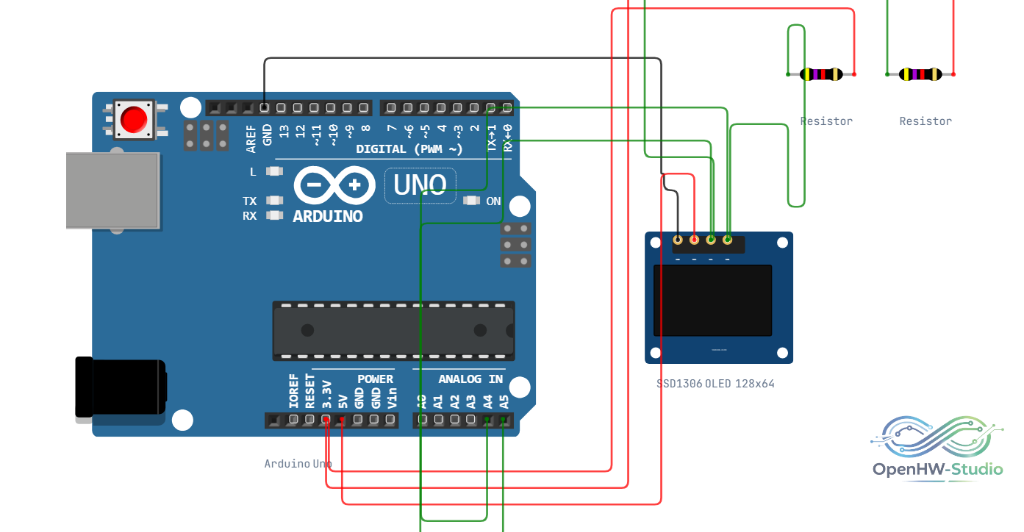
| SCL | digital | I2C Clock. Connect to Arduino SCL (A5 on Uno). |
| SDA | digital | I2C Data. Connect to Arduino SDA (A4 on Uno). |
Configurable Attributes
| Attribute | Type | Default | Description |
|---|---|---|---|
| i2cAddress | string | "0x3C" | I2C address of the display (typically 0x3C or 0x3D). |
Wiring Diagram
Connect the SSD1306 to the Arduino via I2C (SDA and SCL pins). You can also use A4 and A5 on the Uno.
Example Arduino Code
This code uses the Adafruit SSD1306 library to display text and a simple counter.
#include <Wire.h>
#include <Adafruit_GFX.h>
#include <Adafruit_SSD1306.h>

#define SCREEN_WIDTH 128
#define SCREEN_HEIGHT 64

// Declaration for an SSD1306 display connected to I2C (SDA, SCL pins)
Adafruit_SSD1306 display(SCREEN_WIDTH, SCREEN_HEIGHT, &Wire, -1);

void setup() {
  Serial.begin(9600);

  // Initialize with the I2C addr 0x3C
  if(!display.begin(SSD1306_SWITCHCAPVCC, 0x3C)) {
    Serial.println(F("SSD1306 allocation failed"));
    for(;;); // Don't proceed, loop forever
  }

  // Clear the buffer
  display.clearDisplay();

  display.setTextSize(2);
  display.setTextColor(SSD1306_WHITE);
  display.setCursor(8, 24);
  display.println("Hello!");
  display.display();
  delay(2000);
}

void loop() {
  display.clearDisplay();

  display.setTextSize(1);
  display.setCursor(0, 0);
  display.println("SSD1306 OLED");

  display.setTextSize(2);
  display.setCursor(20, 30);
  display.print(millis() / 1000);
  display.println(" s");

  display.display();
  delay(1000);
}
Simulation Notes
- The OpenHW Simulator fully supports the Adafruit GFX library, allowing you to draw lines, circles, text, and bitmaps directly to the virtual screen.