
CC1101 Transceiver
A versatile sub-1 GHz wireless transceiver module that allows microcontrollers to communicate wirelessly over long distances.
Component Preview
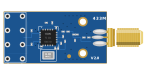 RF Module
The CC1101 is a highly configurable radio transceiver designed for very low-power wireless applications. It typically operates in the 433 MHz or 868/915 MHz ISM bands, making it excellent for home automation, garage door openers, and custom remote controls.
Overview
Because the CC1101 uses sub-1 GHz frequencies (unlike Wi-Fi or Bluetooth which use 2.4 GHz), it offers significantly better wall-penetration and range, though at much lower data rates. It communicates with the Arduino via the SPI bus.
Pin Reference
| Pin | Type | Description |
|---|---|---|
| VCC | power | Power supply. MUST be 3.3V. Do not connect to 5V! |
| GND | power | Ground connection. |
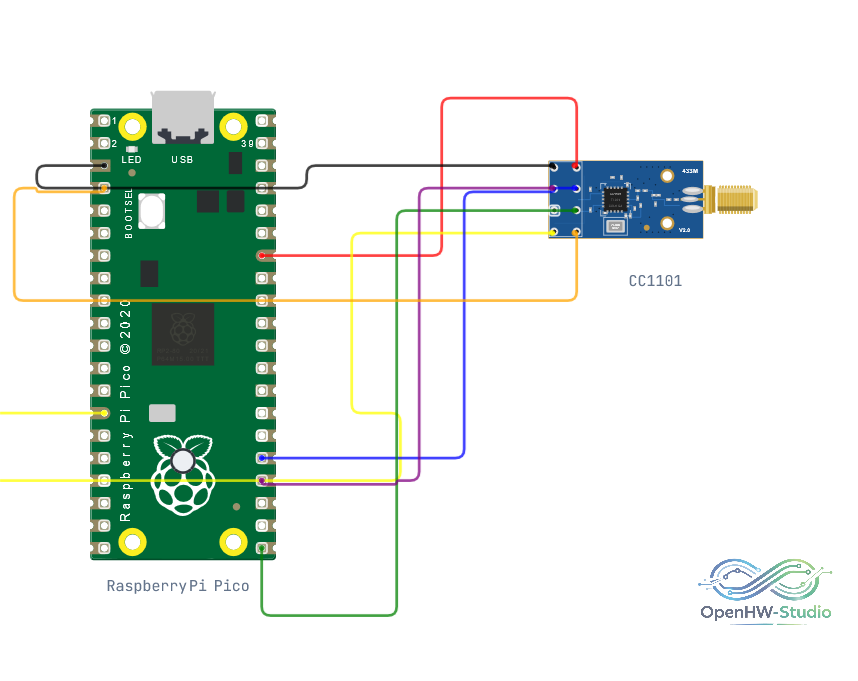
| MOSI | digital | SPI Master Out Slave In. Connect to Arduino D11. |
| SCK | digital | SPI Clock. Connect to Arduino D13. |
| MISO | digital | SPI Master In Slave Out. Connect to Arduino D12. |
| CSN | digital | SPI Chip Select. Connect to Arduino D10. |
| GDO0 | digital | General Digital Output 0. Often used for hardware interrupts (e.g., D2). |
| GDO2 | digital | General Digital Output 2. Optional interrupt pin. |
Configurable Attributes
| Attribute | Type | Default | Description |
|---|---|---|---|
| magicInterop | boolean | false | When true in the simulator, allows the CC1101 to transparently capture basic RF packets from generic 433MHz remotes even without strict protocol matching. |
Working Principle
The module requires you to configure its registers via SPI before it can transmit or receive. You must specify the exact frequency, modulation scheme (e.g., ASK, FSK, OOK), and baud rate. Once configured, you can strobe the TX or RX commands to send or listen for data arrays over the air.
Wiring Diagram
Example of wiring the CC1101 module to a microcontroller via SPI.
Example Arduino Code
This example uses the common ELECHOUSE CC1101 library.
#include <SPI.h>
#include <ELECHOUSE_cc1101.h>

void setup() {
  Serial.begin(9600);

  // Initialize and configure the radio
  ELECHOUSE_cc1101.Init();
  ELECHOUSE_cc1101.setCCMode(1);
  ELECHOUSE_cc1101.setModulation(0); // 2-FSK
  ELECHOUSE_cc1101.setMHZ(433.92);   // Standard 433MHz
  ELECHOUSE_cc1101.setSyncMode(2);
  ELECHOUSE_cc1101.Crc(1);
}

void loop() {
  // Transmit a message
  byte txBuffer[] = {0x48, 0x65, 0x6C, 0x6C, 0x6F}; // "Hello"
  ELECHOUSE_cc1101.SendData(txBuffer, 5);
  Serial.println("Transmitting: Hello");

  delay(1000);

  // Check for incoming messages
  if (ELECHOUSE_cc1101.CheckReceiveFlag()) {
    byte rxBuffer[61] = {0};
    int len = ELECHOUSE_cc1101.ReceiveData(rxBuffer);
    rxBuffer[len] = '\0';
    Serial.print("Received: ");
    Serial.println((char*)rxBuffer);
  }

  delay(1000);
}
Simulation Notes
- In the simulator, RF modules broadcast messages globally across the simulated environment to any other matching RF modules tuned to the same frequency.
- The
magicInteropattribute is useful if you are trying to intercept signals from a simulated standard RF Remote component.