
PIR Motion Sensor
A standard Passive Infrared sensor for detecting motion of humans or animals.
Component Preview
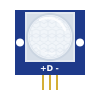 PIR Sensor
The PIR (Passive Infrared) motion sensor detects changes in infrared radiation, typically caused by a moving person or animal. When motion is detected, the sensor's output pin goes HIGH.
SensorsDigital InputMotion
Overview
PIR sensors are commonly used in security systems, automatic lighting, and smart home applications. They are easy to interface with microcontrollers as they provide a simple digital signal (HIGH when motion is detected, LOW otherwise).
Pin Reference
| Pin | Type | Description |
|---|---|---|
| VCC | power | Power supply (5V). |
| OUT | digital | Digital output (HIGH = motion detected). |
| GND | power | Ground. |
Configurable Attributes
| Attribute | Type | Default | Description |
|---|---|---|---|
| delay | number | 500 | The time (in milliseconds) the OUT pin stays HIGH after motion stops. |
Wiring Diagram
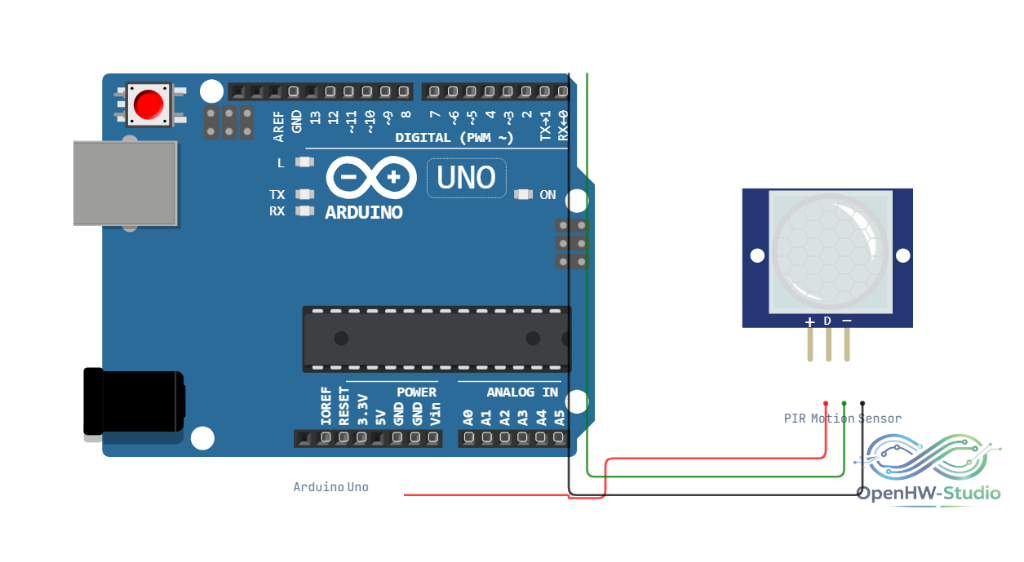
- Connect VCC to 5V.
- Connect OUT to a digital input pin on the Arduino (e.g., D2).
- Connect GND to Ground.
Example Arduino Code
This example reads the sensor and turns on the built-in LED (pin 13) when motion is detected.
cpp
#define PIR_PIN 2
#define LED_PIN 13

void setup() {
  pinMode(PIR_PIN, INPUT);
  pinMode(LED_PIN, OUTPUT);
  Serial.begin(9600);
}

void loop() {
  int motionState = digitalRead(PIR_PIN);

  if (motionState == HIGH) {
    digitalWrite(LED_PIN, HIGH);
    Serial.println("Motion detected!");
  } else {
    digitalWrite(LED_PIN, LOW);
  }

  delay(100);
}
Simulation Notes
- In the simulator, click on the PIR sensor to reveal its detection cone.
- You can drag the blue dot to simulate movement inside the detection zone.