
Li-ion Battery
A standard 3.7V Lithium-ion battery cell used for powering portable and high-current projects.
Component Preview
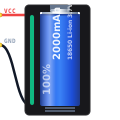 18650 Cell
Lithium-ion batteries offer incredible energy density, making them the standard choice for portable robotics, drones, and IoT devices. A single cell operates nominally at 3.7V, peaking at 4.2V when fully charged and dropping to around 3.0V when empty.
Overview
Unlike standard 1.5V alkaline AA batteries, Li-ion cells provide enough voltage (3.7V) to power 3.3V logic systems natively (like ESP32 or 3.3V Arduino boards) using a simple linear regulator, and they can deliver massive amounts of current for motors.
Pin Reference
| Pin | Type | Description |
|---|---|---|
| VCC (+) | power | Positive terminal. Outputs the current battery voltage (3.0V - 4.2V). |
| GND (-) | power | Negative terminal. Ground reference. |
Configurable Attributes
| Attribute | Type | Default | Description |
|---|---|---|---|
| capacityMah | number | 2000 | Total maximum charge capacity of the battery in mAh. |
| currentChargeMah | number | 2000 | The current remaining charge in the battery in mAh. |
| nominalVoltage | number | 3.7 | The nominal voltage rating of the cell. |
Working Principle
In the simulator, the Li-ion battery acts as an ideal voltage source that drops its voltage dynamically as the currentChargeMah depletes, matching a typical Li-ion discharge curve. If it drops below 3.0V, it stops providing useful power until recharged.
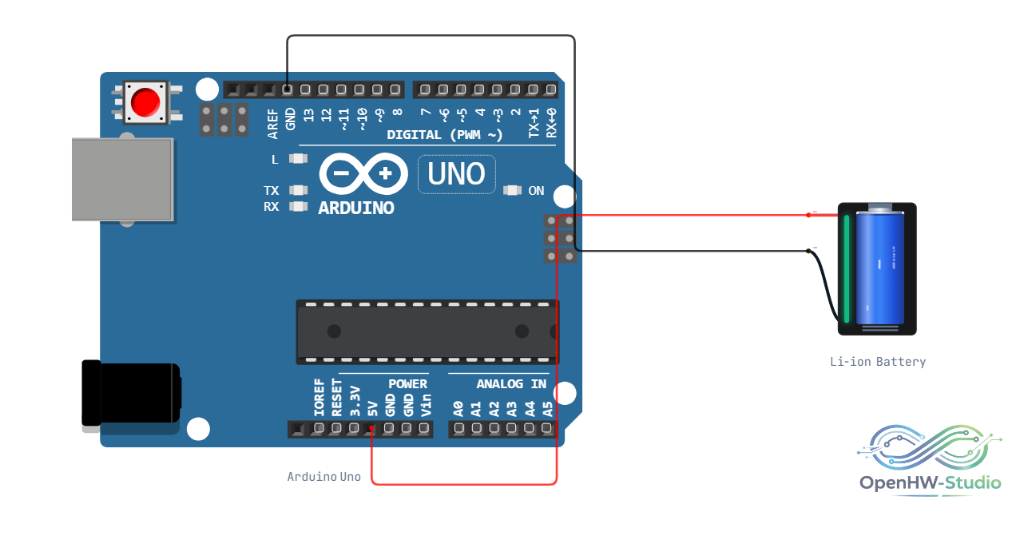
Wiring Diagram
Example Arduino Code
// Reading the battery voltage via a voltage divider (assuming a 1:2 divider on A0)
const int batteryPin = A0;

void setup() {
  Serial.begin(9600);
}

void loop() {
  int rawADC = analogRead(batteryPin);

  // Calculate voltage: (ADC / 1023) * 5.0V * 2 (multiplier for the 1:2 divider)
  float voltage = (rawADC / 1023.0) * 5.0 * 2.0;

  Serial.print("Battery Voltage: ");
  Serial.print(voltage);
  Serial.println(" V");

  if(voltage < 3.2) {
    Serial.println("WARNING: Low Battery!");
  }

  delay(1000);
}
Simulation Notes
- You can simulate a charging circuit by providing a higher voltage to the VCC pin (e.g., via the
TP4056charger module component), which will slowly increasecurrentChargeMahover time. - The battery tracks the current draw of all components connected to it and depletes appropriately in real time.