
LCD 16x2 (I2C)
A classic 16-column by 2-row alphanumeric LCD, simplified with an I2C backpack to require only four wires.
Component Preview
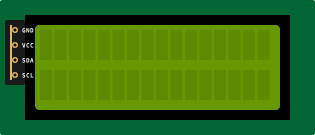 I2C 16x2 LCD
This is a standard HD44780-compatible 16x2 LCD that has a PCF8574 I2C adapter pre-soldered to its back. Instead of needing 6 to 10 digital pins to drive the screen, it only requires the I2C bus (SDA/SCL).
Overview
By converting parallel data to serial I2C data, the backpack module dramatically reduces wiring clutter. It operates at 5V and relies on standard I2C communication to receive characters and commands from the Arduino.
Pin Reference
| Pin | Type | Description |
|---|---|---|
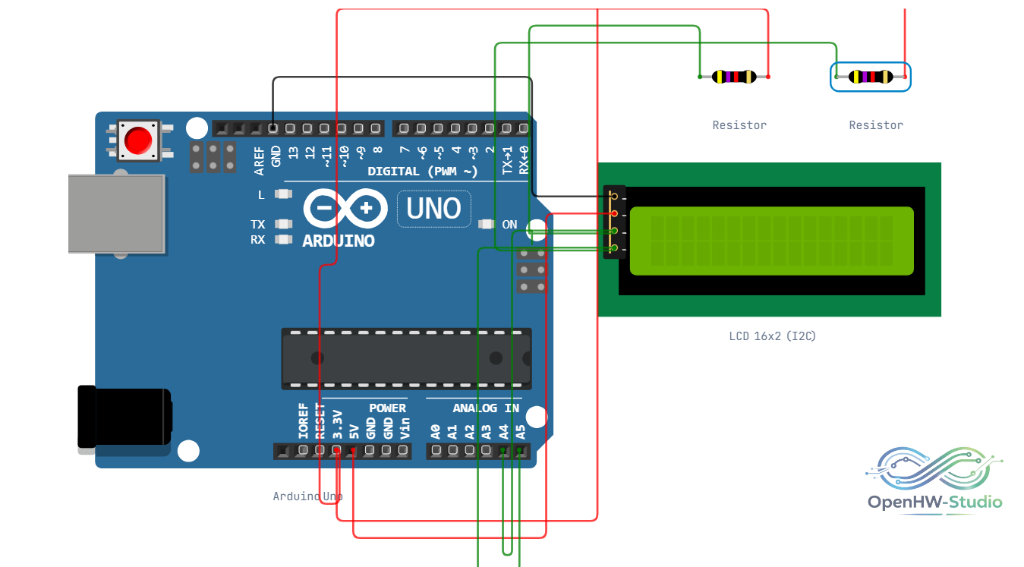
| GND | power | Ground. Connect to Arduino GND. |
| VCC | power | Power (5V). Connect to Arduino 5V. |
| SDA | bidi | I2C Data. Connect to Arduino A4 (or SDA). |
| SCL | bidi | I2C Clock. Connect to Arduino A5 (or SCL). |
Configurable Attributes
| Attribute | Type | Default | Description |
|---|---|---|---|
| i2cAddress | string | 0x27 | The I2C address of the backpack. Common addresses are 0x27 or 0x3F. |
| color | string | blue | The backlight color in the simulator (e.g., blue or green). |
Working Principle
The PCF8574 chip on the backpack receives I2C commands from the microcontroller and expands them into parallel 8-bit outputs that drive the LCD pins. The LiquidCrystal_I2C library handles all of this translation automatically.
Wiring Diagram
Example Arduino Code
Install the LiquidCrystal I2C library via the Library Manager before running this sketch.
#include <Wire.h>
#include <LiquidCrystal_I2C.h>

// Set the LCD address to 0x27 for a 16 chars and 2 line display
LiquidCrystal_I2C lcd(0x27, 16, 2);

void setup() {
  // Initialize the LCD
  lcd.init();

  // Turn on the backlight
  lcd.backlight();

  // Print a message
  lcd.setCursor(0, 0);
  lcd.print("OpenHW Studio!");
}

void loop() {
  unsigned long timeInSeconds = millis() / 1000;

  // Set cursor to the second row, first column
  lcd.setCursor(0, 1);
  lcd.print("Timer: ");
  lcd.print(timeInSeconds);
  lcd.print(" s   ");

  delay(500);
}
Simulation Notes
- The default I2C address in the simulator is
0x27. If your code uses0x3Fand the screen remains blank, check the component properties and update the address.