
Buzzer
A passive piezoelectric buzzer that generates audio tones when driven by a rapidly oscillating digital signal.
Component Preview
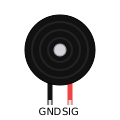 Piezo Buzzer
Unlike an active buzzer (which beeps at a fixed frequency when given 5V), this is a passive buzzer. It requires a rapidly oscillating signal (like a PWM wave) to produce sound. Changing the frequency of the signal changes the pitch of the sound.
Overview
The OpenHW Simulator plays the sound through your computer's speakers using the Web Audio API. Use the standard Arduino tone() function for easy frequency control.
Musical Note Frequencies
Here are some common frequencies you can use with the tone() function:
| Note | Frequency |
|---|---|
| C4 (Middle C) | 262 Hz |
| D4 | 294 Hz |
| E4 | 330 Hz |
| F4 | 349 Hz |
| G4 | 392 Hz |
| A4 | 440 Hz |
Pin Reference
| Pin | Type | Description |
|---|---|---|
| GND (-) | power | Negative terminal — connect to GND. |
| SIG (+) | digital | Positive terminal — connect to a digital/PWM pin. |
Configurable Attributes
| Attribute | Type | Default | Description |
|---|---|---|---|
| volume | number | 50 | Master volume for this buzzer in the simulator (0-100). |
| frequency | number | 440 | Default resonant frequency configuration (internal). |
Working Principle
A piezoelectric disc physically deforms when voltage is applied across it. By rapidly applying and removing voltage (e.g., 440 times per second), the disc vibrates and creates a sound wave (440 Hz pitch, or the note A4).
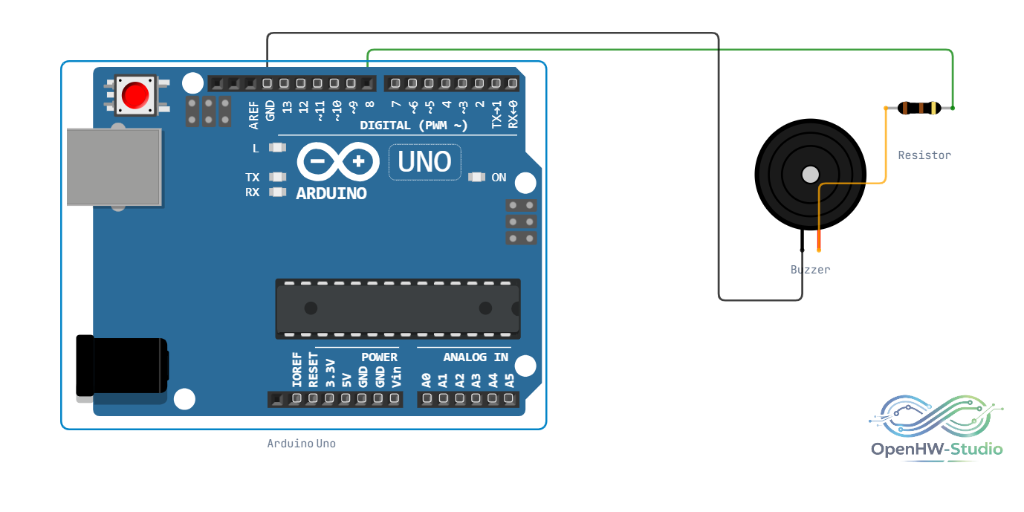
Wiring Diagram
Connect the buzzer's negative pin to GND and the positive pin to a digital output pin on the Arduino (e.g., Pin 3).
Example Arduino Code
const int buzzerPin = 3;

// Frequencies for C4, D4, E4, F4, G4, A4, B4, C5
int notes[] = {262, 294, 330, 349, 392, 440, 494, 523};
int durations[] = {200, 200, 200, 200, 200, 200, 200, 400};

void setup() {
  pinMode(buzzerPin, OUTPUT);
}

void loop() {
  for (int i = 0; i < 8; i++) {
    tone(buzzerPin, notes[i], durations[i]);
    delay(durations[i] + 30); // Add a slight pause between notes
  }

  noTone(buzzerPin);
  delay(1000);
}
Simulation Notes
- Ensure your browser tab is not muted. Modern browsers block audio playback until the user clicks on the page, so you must interact with the simulator before audio will play.
- Hardware Conflict: The
tone()function uses Timer 2 on the ATmega328P (Arduino Uno). This conflicts with PWM output on pins 3 and 11. You cannot useanalogWrite()on pins 3 or 11 while a tone is playing.