
HC-SR04 Ultrasonic Sensor
A highly accurate non-contact distance measurement module using 40kHz ultrasound.
Component Preview
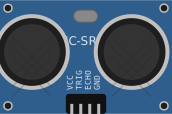 Ultrasonic Sensor
The HC-SR04 uses sonar to determine distance to an object like bats do. It offers excellent non-contact range detection with high accuracy and stable readings in an easy-to-use package.
SensorsUltrasonicDigital
Overview
The HC-SR04 operates by sending a 40kHz ultrasound signal and measuring the time it takes for the echo to return. It has a range of 2cm to 400cm and requires two digital pins (one for Trigger, one for Echo).
Pin Reference
| Pin | Type | Description |
|---|---|---|
| VCC | power | 5V Power Supply. |
| Trig | digital | Trigger input. Needs a 10µs HIGH pulse to start a measurement. |
| Echo | digital | Echo output. Pulses HIGH for a duration proportional to the distance. |
| GND | power | Ground. |
Configurable Attributes
| Attribute | Type | Default | Description |
|---|---|---|---|
| distance | number | 100 | The simulated distance in centimeters. Adjustable via the context menu. |
Working Principle
- You apply a 10 microsecond HIGH pulse to the Trig pin.
- The module automatically sends eight 40kHz acoustic bursts and forces the Echo pin HIGH.
- When the acoustic signal reflects back and is detected by the receiver, the Echo pin goes LOW.
- Your code measures how long the Echo pin remained HIGH and calculates the distance using the speed of sound.
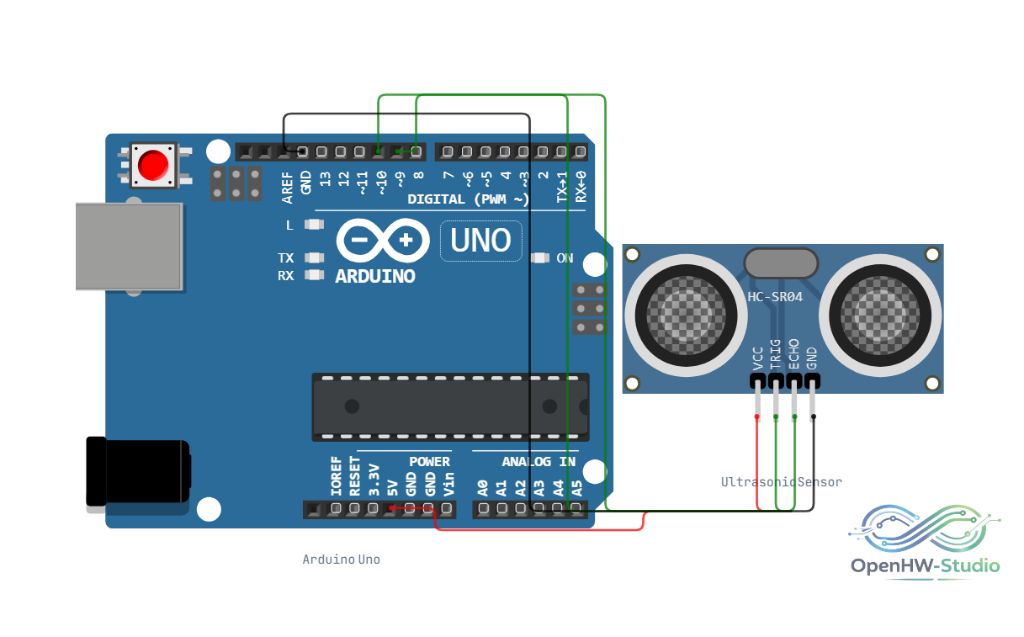
Wiring Diagram
- Connect VCC to 5V.
- Connect GND to Ground.
- Connect Trig to a digital output pin (e.g., D3).
- Connect Echo to a digital input pin (e.g., D4).
Example Arduino Code
This standard code block initializes the HC-SR04, triggers a pulse, measures the echo, and calculates the distance.
cpp
#define TRIG_PIN 3
#define ECHO_PIN 4

void setup() {
  Serial.begin(9600);
  pinMode(TRIG_PIN, OUTPUT);
  pinMode(ECHO_PIN, INPUT);
  Serial.println("HC-SR04 Sensor Ready");
}

void loop() {
  // Clear the trigger
  digitalWrite(TRIG_PIN, LOW);
  delayMicroseconds(2);

  // Send 10 microsecond pulse
  digitalWrite(TRIG_PIN, HIGH);
  delayMicroseconds(10);
  digitalWrite(TRIG_PIN, LOW);

  // Read echo duration
  long duration = pulseIn(ECHO_PIN, HIGH);

  // Calculate distance in cm and inches
  // Speed of sound = 340 m/s or 29 microseconds per cm
  // We divide by 2 because the sound travels out and back
  float cm = (duration / 2.0) / 29.1;
  float inch = (duration / 2.0) / 74.0;

  Serial.print("Distance: ");
  Serial.print(cm, 1);
  Serial.print(" cm | ");
  Serial.print(inch, 1);
  Serial.println(" in");

  delay(500);
}
Simulation Notes
- In OpenHW Studio, you can right-click the sensor during simulation to drag a slider and change the distance in real-time. The simulator instantly adjusts the
pulseInecho duration based on the simulated distance.