
ILI9341 2.8" Touch Screen LCD
A fast, bright 320x240 full-color TFT display featuring a resistive touch screen and an SPI interface.
Component Preview
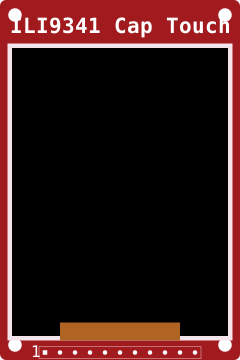 ILI9341 Touch
This module combines a beautiful 2.8" LCD with an ILI9341 driver and an XPT2046 resistive touch controller. Because both use the SPI bus, you can share the clock and data pins, reducing the number of wires required.
Overview
The ILI9341 is extremely fast and well-supported by libraries like Adafruit_GFX and TFT_eSPI. The resistive touch overlay lets users interact with UI elements like buttons, sliders, and menus directly on the screen.
Pin Reference
| Pin | Type | Description |
|---|---|---|
| VCC | power | Power supply (3.3V or 5V depending on board regulator). |
| GND | power | Common ground. |
| CS | digital | TFT Chip Select. Active LOW. |
| RESET | digital | Hardware Reset. Connect to an Arduino pin or 3.3V. |
| DC | digital | Data/Command. Tells the screen if the incoming bytes are data or commands. |
| MOSI | digital | SPI Data In. (Shared with touch controller). |
| SCK | digital | SPI Clock. (Shared with touch controller). |
| LED | power | Backlight power. Usually connected to 3.3V. |
| MISO | digital | SPI Data Out. Needed to read from the display or touch controller. |
| T_CLK | digital | Touch SPI Clock (Can share SCK). |
| T_CS | digital | Touch Chip Select. Must be a unique pin. |
| T_DIN | digital | Touch SPI MOSI (Can share MOSI). |
| T_DO | digital | Touch SPI MISO (Can share MISO). |
| T_IRQ | digital | Touch Interrupt. Goes LOW when the screen is pressed. |
Configurable Attributes
This component has no standard configurable attributes.
Working Principle
The display expects a continuous stream of RGB pixel data over the SPI bus. The touch controller works by measuring resistance changes when two transparent, conductive layers are pressed together.
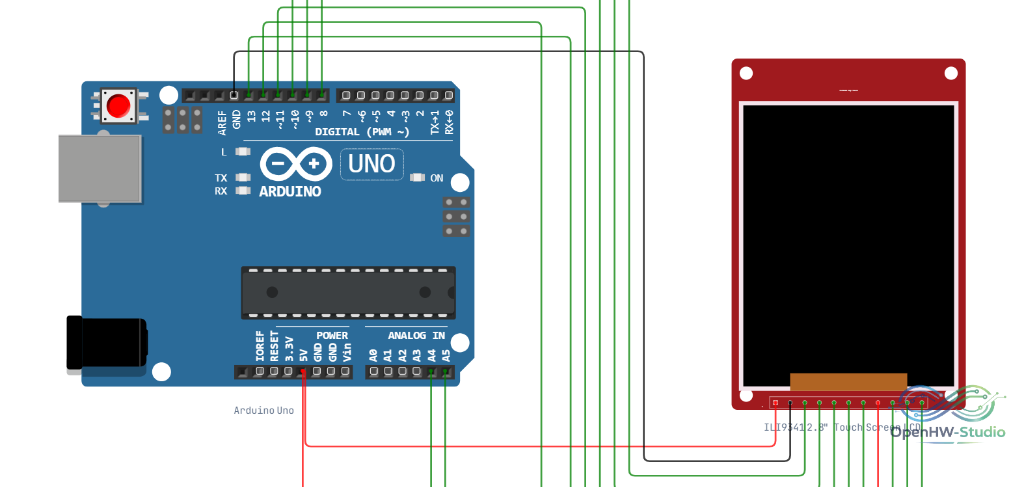
Wiring Diagram (Arduino Uno)
Example Arduino Code
This code requires the Adafruit_ILI9341 and URTouch (or Adafruit_FT6206 / XPT2046) libraries. This snippet demonstrates basic touch drawing.
#include <SPI.h>
#include <Adafruit_GFX.h>
#include <Adafruit_ILI9341.h>
#include <XPT2046_Touchscreen.h>

#define TFT_CS 10
#define TFT_DC 9
#define TOUCH_CS 8

Adafruit_ILI9341 tft = Adafruit_ILI9341(TFT_CS, TFT_DC);
XPT2046_Touchscreen ts(TOUCH_CS);

void setup() {
  Serial.begin(9600);

  tft.begin();
  tft.setRotation(1);
  tft.fillScreen(ILI9341_BLACK);

  if (!ts.begin()) {
    Serial.println("Touch controller not found");
  }
  ts.setRotation(1);

  tft.setTextColor(ILI9341_WHITE);
  tft.setTextSize(2);
  tft.setCursor(10, 10);
  tft.println("Draw on the screen!");
}

void loop() {
  if (ts.touched()) {
    TS_Point p = ts.getPoint();

    // You may need to map raw coordinates to screen pixels!
    // Example (values depend on calibration):
    // int x = map(p.x, 200, 3800, 0, 320);
    // int y = map(p.y, 200, 3800, 0, 240);

    // For this example, we just assume they are somewhat mapped:
    int x = p.x / 12; // Rough scale
    int y = p.y / 16;

    tft.fillCircle(x, y, 3, ILI9341_RED);
  }
}
Simulation Notes
- In the simulator, clicking and dragging on the LCD area immediately fires touch interrupts and updates the X/Y coordinates readable by the microcontroller.
- Frame rates in the browser may differ from actual hardware depending on your computer's performance, but the logic behaves identically.