
I2S MEMS Microphone (SPH0645)
A digital microphone that outputs pristine audio directly over the I2S bus, bypassing analog noise.
Component Preview
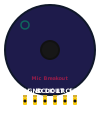 SPH0645
The SPH0645 is a tiny MEMS microphone that includes a built-in analog-to-digital converter (ADC) and an I2S interface. Instead of outputting a messy analog voltage that your microcontroller has to sample, it outputs a clean, digital stream of 24-bit audio data. It's perfect for microcontrollers with hardware I2S support, like the ESP32, Teensy, or Arduino Mega.
Overview
Because this microphone uses I2S (Inter-IC Sound), it requires three dedicated data pins: Word Select (LRCL / WS), Bit Clock (BCLK), and Data Out (DOUT). The SEL pin determines whether the microphone outputs its data on the Left or Right channel of the stereo I2S stream (usually pulled to Ground for Left).
Pin Reference
| Pin | Type | Description |
|---|---|---|
| 3V | power | Power input. Connect to 3.3V. |
| GND | power | Ground. Connect to GND. |
| BCLK | digital | I2S Bit Clock. Connect to the microcontroller's I2S clock pin. |
| DOUT | digital | I2S Data Out. Connect to the microcontroller's I2S data input pin. |
| LRCL | digital | I2S Word Select (Left/Right Clock). Connect to the I2S WS pin. |
| SEL | digital | Channel Select. Pull to GND for Left channel, or VCC for Right. |
Configurable Attributes
| Attribute | Type | Default | Description |
|---|---|---|---|
| audioFile | string | "" | A URL to a `.wav` or `.mp3` file to use as the simulated audio source for the microphone. |
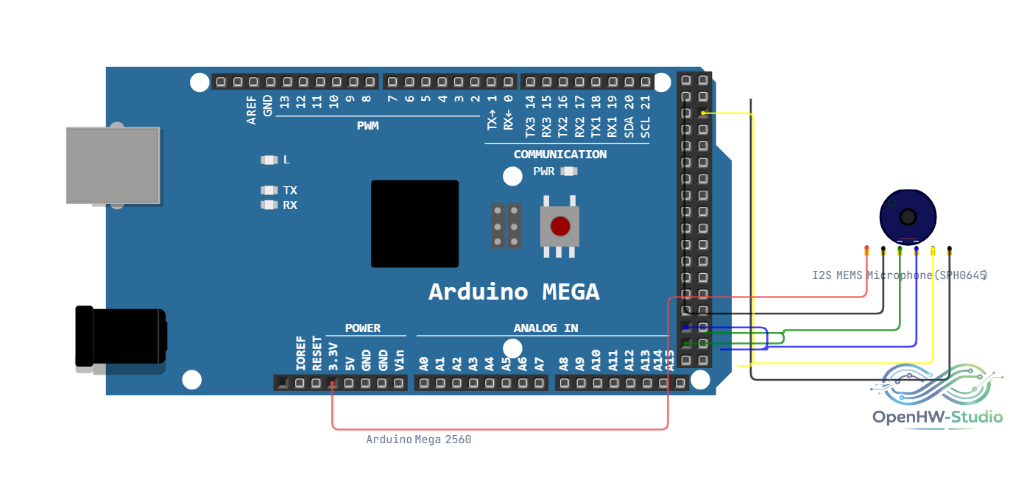
Wiring Diagram (Arduino Mega)
The Arduino Uno does not have hardware I2S, so for this example we are using the Arduino Mega (or typically an ESP32).
- Connect 3V to 3.3V.
- Connect GND to GND.
- Connect SEL to GND (configuring the mic as the Left channel).
- Connect LRCL to the I2S WS pin.
- Connect DOUT to the I2S Data IN pin.
- Connect BCLK to the I2S Clock pin.
Example Arduino Code
Reading from I2S requires an I2S library (such as the standard I2S.h for ESP32/SAMD architectures). Here is a standard configuration block.
#include <I2S.h>

void setup() {
  Serial.begin(115200);
  while (!Serial) { ; }

  // Start I2S receiver
  // I2S.begin(mode, sampleRate, bitsPerSample)
  if (!I2S.begin(I2S_PHILIPS_MODE, 16000, 32)) {
    Serial.println("Failed to initialize I2S!");
    while (1); // halt
  }
}

void loop() {
  // Read a 32-bit sample from the I2S bus
  int sample = 0;
  if (I2S.available()) {
    I2S.read(&sample, sizeof(sample));

    // Convert 24-bit data to 16-bit by shifting
    sample >>= 14;

    // Print for the Serial Plotter
    Serial.println(sample);
  }
}
Simulation Notes
- The SPH0645 generates a simulated sine wave audio signal over the virtual I2S bus by default.
- You can override the default sine wave by specifying an
audioFileattribute, which points to a remote audio file to "play" into the microphone.